What Are the Top Types of Healthy Chairs?
Healthy Chairs are not a single design or a guaranteed fix for back pain. They are seating options that can support comfortable posture, movement, and the tasks you do each day. A well-adjusted office chair, for example, should let your feet rest flat and your lower back feel supported. Small details matter: seat depth, armrest height, and whether you can reach your desk without shrugging.
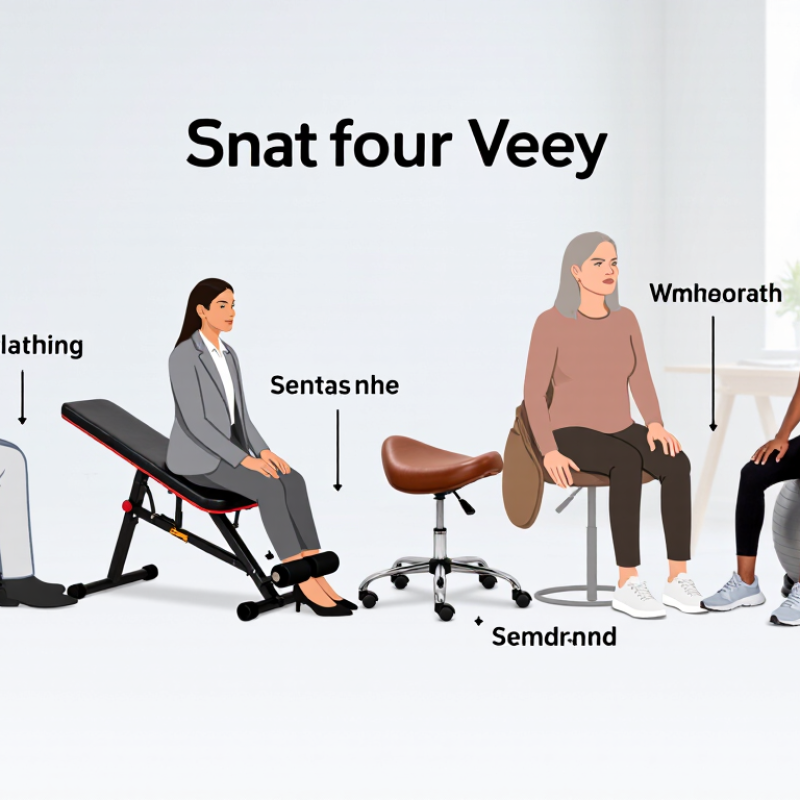
This guide explores several popular types, including ergonomic office chairs, kneeling chairs, saddle chairs, and active-sitting options. Each has trade-offs. A kneeling chair may change how your hips and knees feel, but it may not suit long work sessions. An exercise ball can encourage movement, yet it lacks the stable support many people need. Fit varies.
The most useful choice depends on your body, workspace, budget, and routine. If possible, test a chair before buying; even ten minutes can reveal pressure points or awkward adjustments. Look for clear product specifications, adjustable features, and credible advice rather than promises of perfect posture. Persistent discomfort deserves attention from a qualified health professional, not just a new chair. Comfort matters. And sometimes the best option is simply the one you can adjust, use consistently, and reassess when your needs change.
Healthy-Chair Fit: OSHA Checks for Foot Support, Back Support, and Arm Position
A healthy chair is not defined by padding or appearance. OSHA’s workstation guidance points to practical fit checks, not one chair shape that suits everyone. Start with your feet: place both soles on the floor, with knees near hip level. If the seat is too high, a stable footrest can help prevent pressure beneath the thighs. Small adjustment, real difference.
Check the back support next. Sit fully back and see whether the chair supports your lower back without forcing an exaggerated arch. Adjust the backrest or seat depth so there is a little space behind your knees. If you keep sliding forward, the seat may be too deep, or the backrest may not fit your body. A quick glance is not enough; sit and work for several minutes.
Your arms should rest close to your sides, with shoulders relaxed and elbows roughly level with the desk. Raise or lower the chair, then check whether your wrists stay fairly straight while typing. If the armrests push your shoulders upward, lower them or move them aside. Not every chair adjusts well, and a checklist cannot read your body. Notice numbness, pressure, or repeated discomfort, and change one setting at a time. A short walk break may help, too.
Ergonomic Task Chairs: ANSI/BIFMA X5.1-2017 and Its 275-lb Test Basis
An ergonomic task chair is only as useful as its fit and adjustment. ANSI/BIFMA X5.1-2017 evaluates general-purpose office chairs through tests of strength, stability, and durability. Its commonly cited 275-pound test basis represents a defined load, not a promise that every chair suits every body. The test is not a health certification. Not even close.
In daily use, check whether your feet rest flat and the seat edge leaves space behind your knees. OSHA’s Computer Workstations eTool recommends adjustable seating and support for the lower back, alongside a workstation that allows a neutral posture. At a desk, that can mean raising the chair until your elbows sit near desk height, then using a footrest if your feet no longer reach the floor. Small adjustments matter. Yet people often skip them.
The 275-pound basis also has limits: a pass under standardized conditions cannot predict years of use, every user’s movement, or a poor fit. Look for clear test information, adjustable lumbar support, and controls you can reach while seated. Then sit in the chair, if possible. A specification sheet cannot tell you whether its seat presses against your thighs after an hour. I’ve seen that detail overlooked.
Kneeling and Saddle Chairs: Research on Hip Angles and Seat Pressure
Kneeling and saddle chairs change how the hips and thighs meet the seat. A kneeling chair typically tilts the pelvis forward and opens the angle between the torso and thighs. A saddle chair places the thighs farther apart, like sitting astride a narrow cushion. Neither position is automatically healthier; fit and adjustment matter.
Laboratory studies often measure hip angles and pressure at the seat, but results depend on the chair, task, and person. An open hip angle may make an upright posture easier to maintain, while a saddle seat can shift pressure toward the inner thighs. A kneeling chair may reduce pressure beneath the pelvis, yet its shin pads can feel uncomfortable after a short session. That matters. Pressure maps show where force collects, not whether a chair will prevent pain over a full workday. Try each chair at a desk-height setup: feet supported, shoulders relaxed, and no sharp pressure behind the knees. Small adjustments can change the feel. Evidence is still limited, and individual comfort is not always predictable. Even a well-fitted chair may need breaks and movement.
What Are the Top Types of Healthy Chairs? - Kneeling and Saddle Chairs: Research on Hip Angles and Seat Pressure
Ergonomic comparison. Hip-angle values are approximate setup ranges, not universal clinical targets; actual posture depends on the person, chair adjustment, and task. | Chair type | Typical hip-angle setup | Where body weight is supported | Seat-pressure considerations | Potential advantages | Limitations and practical notes |
| Kneeling chair | Often set with the hips more open than in a conventional upright chair; roughly 110–130° may occur, depending on design and adjustment. | Weight is shared between the seat and padded shin or knee supports. | The supports redistribute some load away from the seat, but add pressure to the shins or knees. A kneeling chair does not eliminate seat pressure. | An open hip posture may be comfortable for some people and can make an upright trunk position easier to maintain. | Limited leg movement and prolonged pressure on the lower legs can be uncomfortable. Use a model and setup that allow frequent posture changes. |
| Saddle chair | Commonly adjusted to create a relatively open hip angle, often around 120–135°; the exact angle varies with seat height and saddle shape. | The pelvis rests on a shaped seat, with the thighs angled downward and the feet typically supported on the floor or a footrest. | A narrow or poorly fitted saddle can concentrate pressure around the sitting bones or inner thighs. Seat width, shape, and height affect comfort. | May support a more open hip posture and allow easier movement around a work surface. | Requires suitable desk height and adjustment. Some users need an adaptation period, and it may not suit every task or body type. |
| Conventional office chair | A near-right-angle hip posture is common when sitting upright; reclining or seat-pan adjustment can open the angle. | Most seated body weight is supported by the seat, with the backrest supporting some load when reclined. | Pressure is mainly borne by the buttocks and thighs. A well-fitted seat with a supportive backrest can distribute contact, but prolonged sitting still creates sustained loading. | Adjustable seat height, depth, backrest, and armrests can accommodate a broad range of users and tasks. | Poor adjustment or sitting still for long periods can cause discomfort. The feet should be supported and the seat should not press behind the knees. |
| Perching or sit-stand stool | A higher seat often encourages a more open hip angle than a low chair; the angle depends on stool height and foot support. | Load is shared between the seat and the feet; the amount carried by each varies with posture and support. | A small seat may concentrate pressure over a smaller contact area. Foot support and a suitable seat shape can improve comfort. | Makes it easier to alternate between sitting and standing and can support movement during short work periods. | Not a substitute for comfortable standing or regular movement. Check that the work surface and foot support are at appropriate heights. |
How to interpret the comparison: Hip angle describes the angle between the trunk and thigh; measurement conventions differ, so values are approximate. Seat pressure depends on body shape, posture, cushion, and adjustment. There is no single chair type or pressure value that is best for everyone. Choose a chair that fits, supports comfortable movement, and allows regular changes of posture.
Active-Sitting Chairs: Evidence on Balance, Muscle Activity, and Posture
Active-sitting chairs use a moving seat, flexible base, or balance-focused design to encourage small shifts while working. Research reviews of dynamic sitting report that some designs can increase trunk muscle activity. However, results vary by chair and study, and greater muscle activity does not automatically mean better posture or less pain. Evidence on lasting benefits remains limited.
Balance is part of the appeal. Gentle movement may help users notice when they have slumped, but it cannot guarantee a neutral spine. A chair that feels unstable can also distract from close work. That trade-off matters. The World Health Organization’s 2020 guidelines recommend adults get 150–300 minutes of moderate-intensity physical activity each week; active sitting is not a substitute for that movement. The evidence is useful, but not tidy.
Tips: Choose a chair that lets your feet stay supported and your screen remain near eye level. Start with short sessions, then adjust if your hips, back, or attention feel strained. Note what changes after a week. If discomfort persists, reconsider the chair and seek qualified ergonomic advice.
Sit-Stand Stools: NIOSH Guidance on Varying Seated and Standing Work
What Are the Top Types of Healthy Chairs?
Sit-Stand Stools: NIOSH Guidance on Varying Seated and Standing Work
A sit-stand stool can support a changing work posture, but it is not a cure-all. NIOSH guidance emphasizes varying between sitting and standing rather than staying in either position for long stretches. The exact rhythm depends on the task and the person. A stool lets you perch briefly while keeping your feet on the floor and your hips slightly open. It should feel stable, not like a balancing exercise.
Small adjustments matter. Raise the screen so your neck stays relaxed, and keep your keyboard close enough that your shoulders do not creep upward. When standing, shift your weight or take a short walk between tasks. A soft floor mat may ease pressure, though it will not make prolonged standing harmless. Listen to your body. That sounds obvious, yet busy workers often notice stiffness only after it builds.
Ease into changes. Try short standing periods, then sit before your legs feel tired. Increase standing time gradually if it feels comfortable. Some people may need a chair with back support for focused or longer tasks; a perch is not right for every body or every day. I would not treat any schedule as universal. Comfort can vary with health, footwear, and even the height of the desk.
Sit–Stand Work: An Example of Posture Variation
This illustrative schedule alternates 30 minutes seated with 30 minutes standing each hour. NIOSH guidance encourages varying posture during work; this example is not a required schedule or a universal sitting-to-standing ratio. A sit–stand stool can offer support while standing, but workers should be able to change positions comfortably.
